How to Change Nameservers

To modify your Domain's Nameservers, follow these steps: 

  • Log in to Core

Core

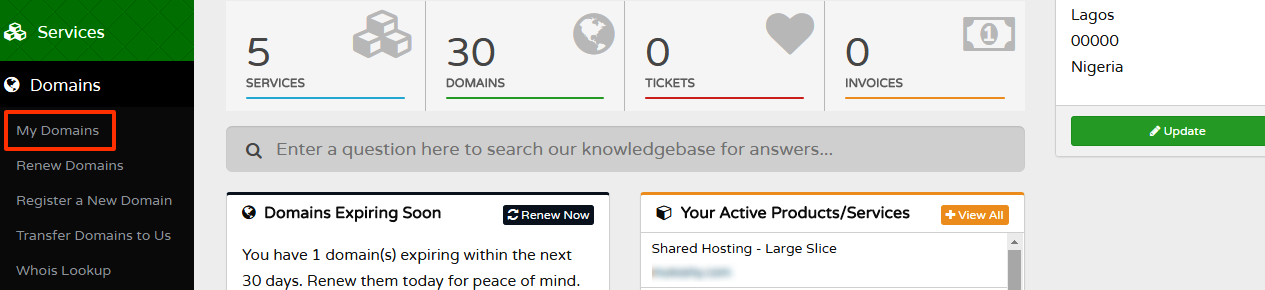
  • Navigate to Domains > My Domains

My Domains

  • Click the arrow down button corresponding to the domain name you want to update and choose 'Manage Nameservers'
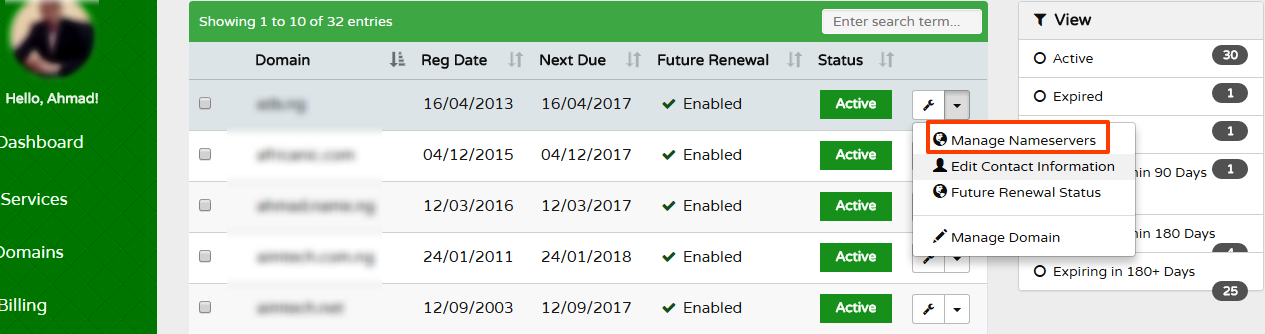
Domains

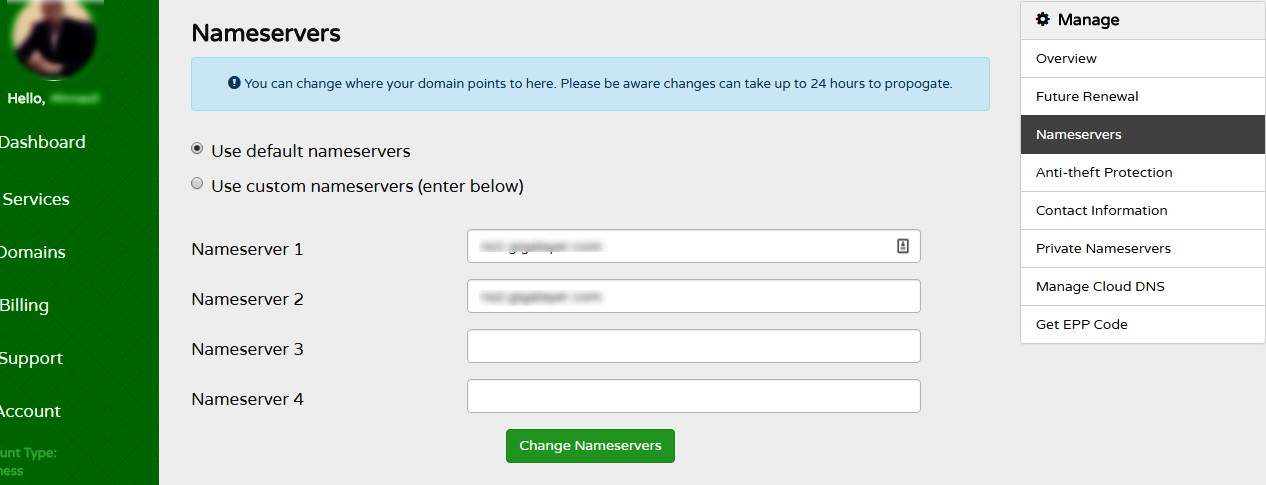
  • Go to the Change the NameSevers

Nameservers

  • Enter your new nameservers and click Save Changes.

That's it! Your domain will point to the nameservers as configured above. However, it may take a few hours to publicly propagate on the web, usually between 4 - 6hrs.


  • 128 Users Found This Useful
Was this answer helpful?

Related Articles

What is a LOCKED Domain?

By default, GigaLayer sets a domain to LOCKED status. When a domain name is locked, it means:...

What is Domain Name REDEMPTION?

A domain redemption fee is a fee charged by a domain name registrar when a domain name expires...

What is PENDING RESTORE?

A domain name is placed in PENDING RESTORE status when a registrar requests restoration of a...

What is PENDING DELETE?

A domain name is placed in PENDING DELETE status for a period of 5 calendar days, if it has not...

How to Update WHOIS Contact

Log in to your Client Area Navigate to Domains >>> My Domains Click on...