How to get Blogger Configuration file.

You can automatically configure your domain with Blogger using your GigaLayer client account.

First you need to download the Google Configuration file from your blogger account as follows:
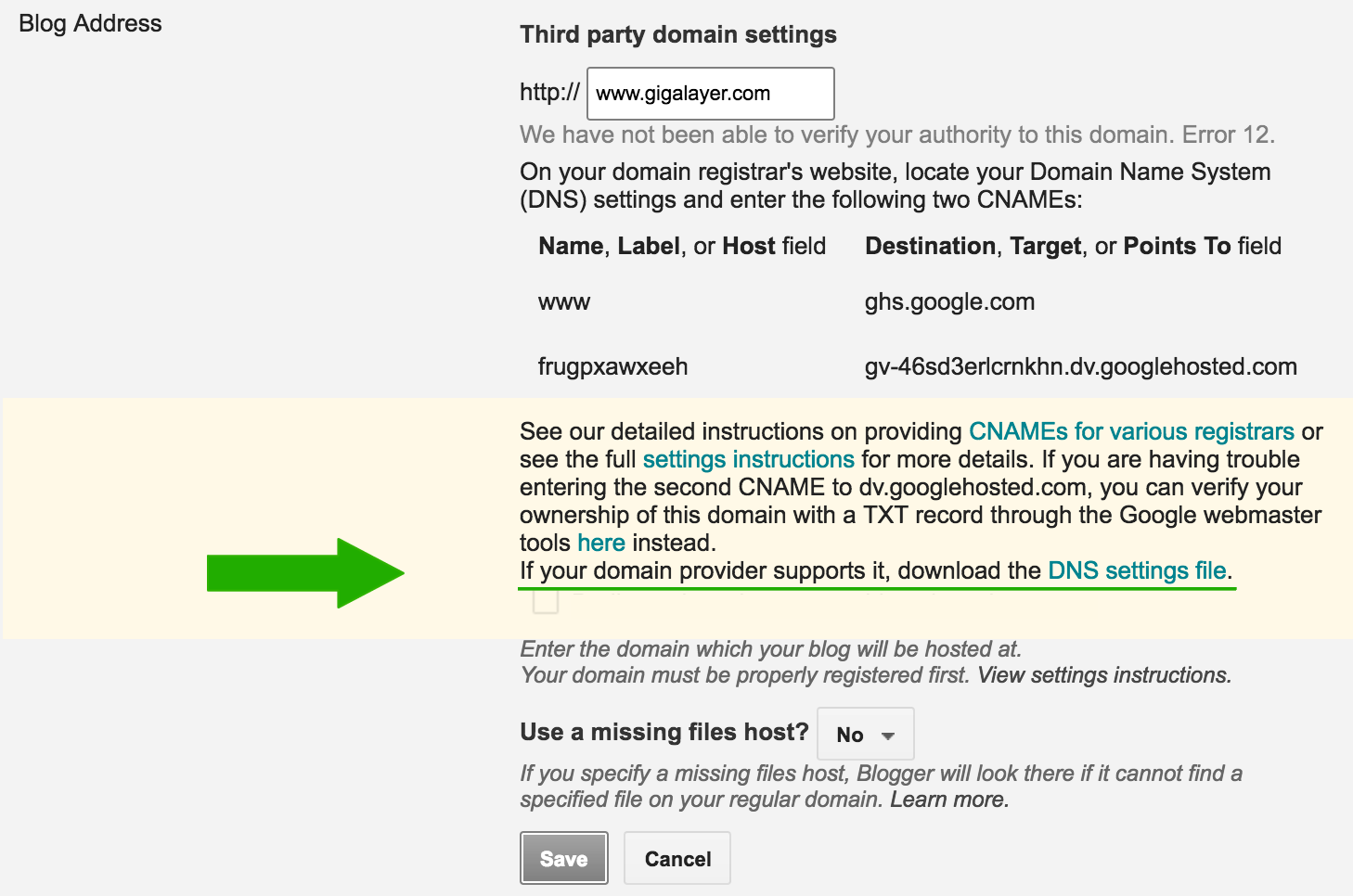
Blogger File

Once you have the file, go to your domain details page in GigaLayer account area and click the configure blogger button to upload the file.

Thank you.

  • 12 Users Found This Useful
Was this answer helpful?

Related Articles

How to Change Nameservers

To modify your Domain's Nameservers, follow these steps:  Log in to Core Navigate to...

What is a LOCKED Domain?

By default, GigaLayer sets a domain to LOCKED status. When a domain name is locked, it means:...

What is Domain Name REDEMPTION?

A domain redemption fee is a fee charged by a domain name registrar when a domain name expires...

What is PENDING RESTORE?

A domain name is placed in PENDING RESTORE status when a registrar requests restoration of a...

What is PENDING DELETE?

A domain name is placed in PENDING DELETE status for a period of 5 calendar days, if it has not...