- Mouse over the menu and click the edit menu button at the top right corner
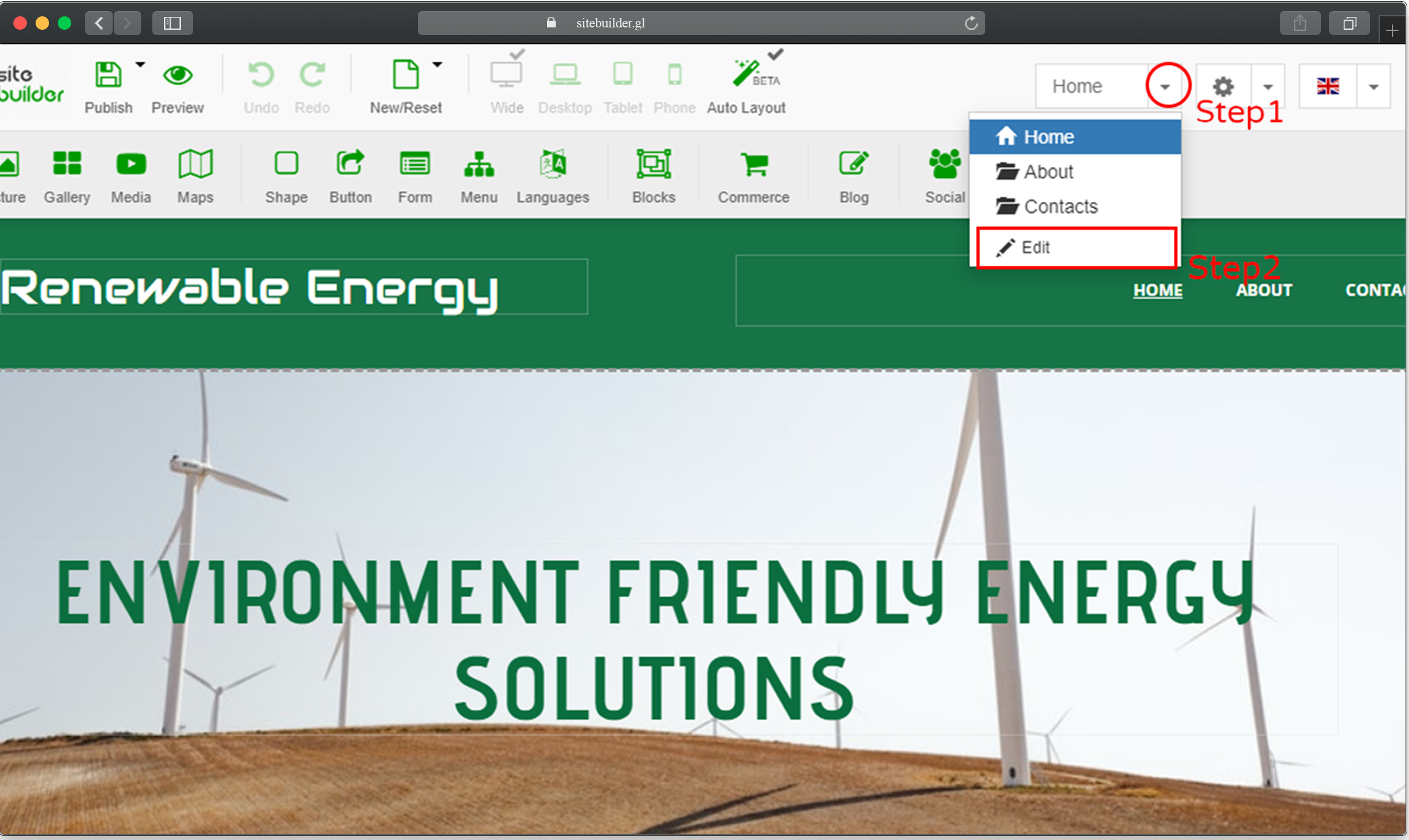
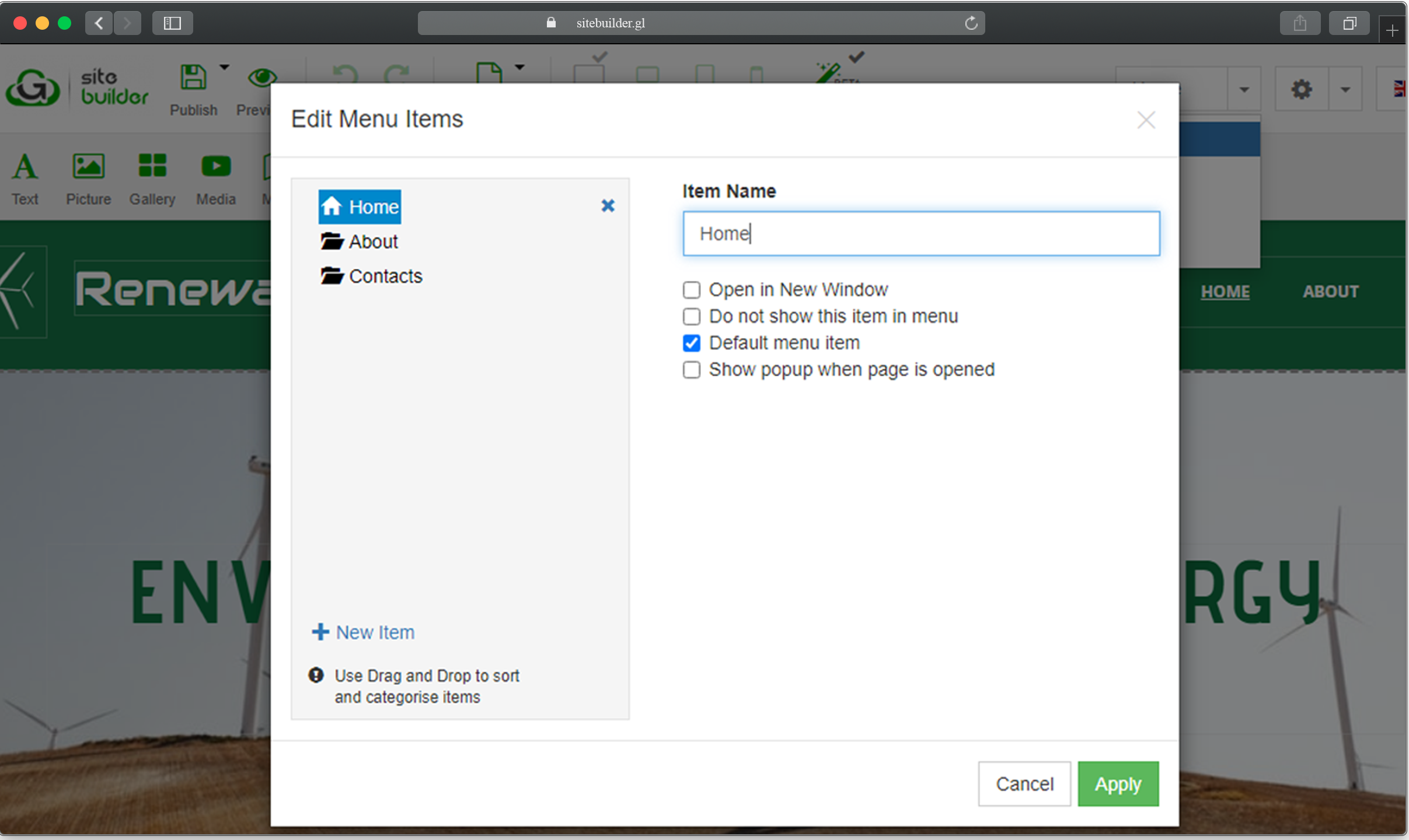
- Click on New Menu Item, a pop-up box comes up to change the name of the page you want to create, select the page radio button and click apply
Click on the form icon A pop-up box appears as shown below, select your preferred...
How long does it take to build my website using the Sitebuilder? With our Sitebuilder,...
Login to your gigalayer site builder mouse over the New/Reset button and click on the change...
Drag and drop the picture icon to your preferred location on the template Select how...
Drag and drop the video icon to your preferred location on the template Select the...