How to Install AutoSSL certificate in cPanel

An SSL certificate on your website gives you the padlock icon in your browser, and this encrypts communications between visitors to your site and the server.


All sites/domains hosted on our Medium, Large & Colossal shared hosting plan are automatically enrolled in the Auto SSL system - this is included free of charge with this hosting package on Gigalayer.


  • Log into cPanel

cPanelLogin


  • Go to the "SSL/TLS Status" section in cPanel
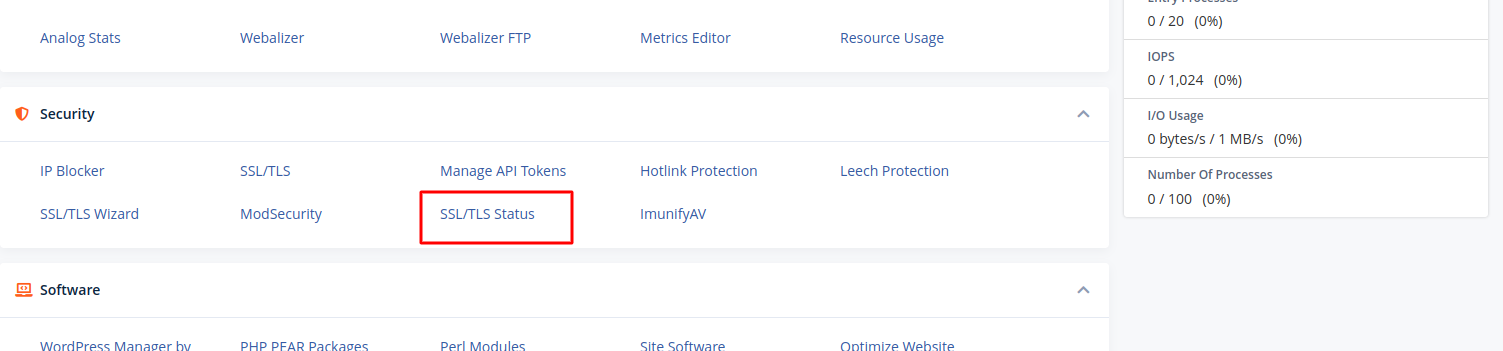
SSL


There you will see the list of all the domains and subdomains in cPanel along with their SSL certificates.

  • Select the domains in the list and click "Run AutoSSL" to force AutoSSL installation for them.
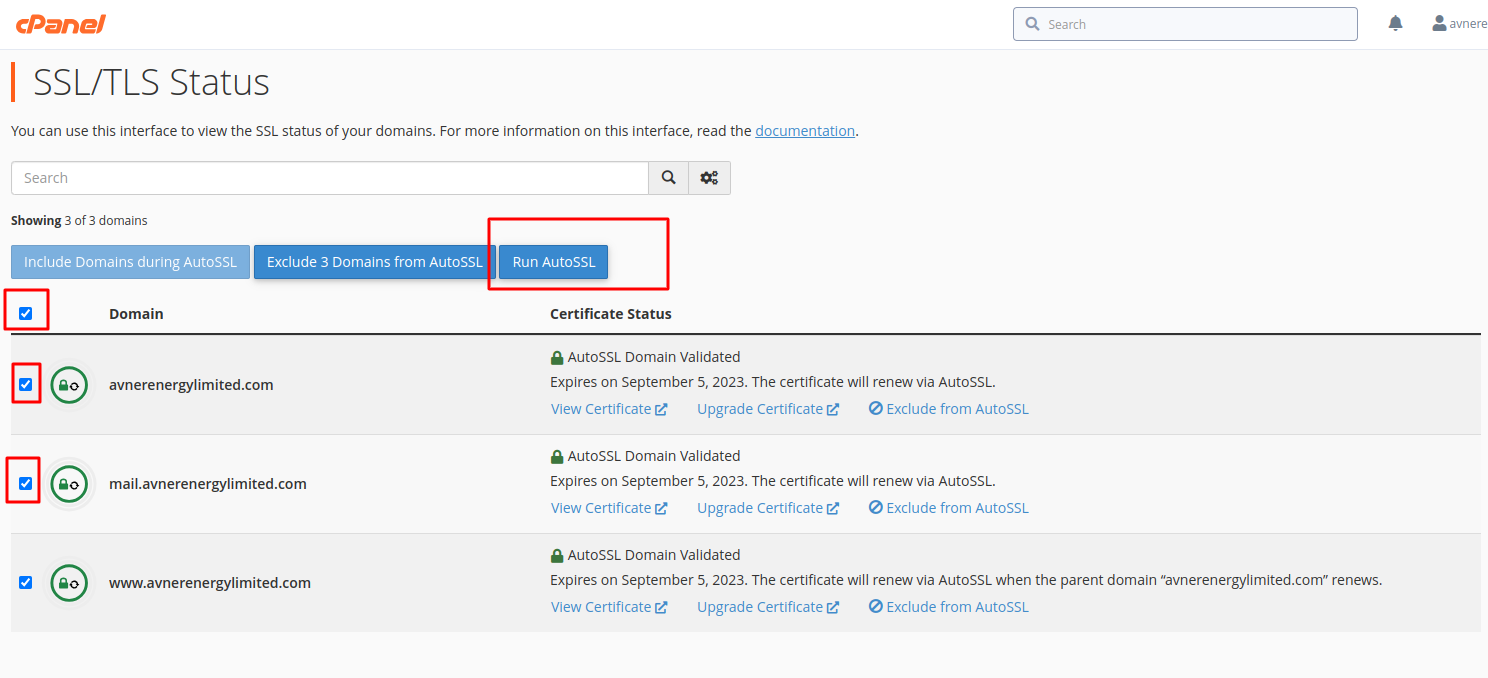
Auto ssl


  • 5 Users Found This Useful
Was this answer helpful?

Related Articles

How to Enable Mod_Rewrite Module

In order to enable Mod_Rewrite for your site you should create a text file called .htacccess in...

Folder and File Permissions

For the security of your websites, these should be your default permission settings:...

How to Enable PHP Error Reporting

If your application/script is not working as expected and you're not sure why, a great way to...

How to use ClamAV Virus Scanner

To run a virus scan, follow these steps: Log in to cPanel On the Advanced tab of the...

How to Create Sub-Accounts Under my Account

Log in to Core   Navigate to Contacts/Sub-Accounts under Account Add a new...