- Log in to cPanel

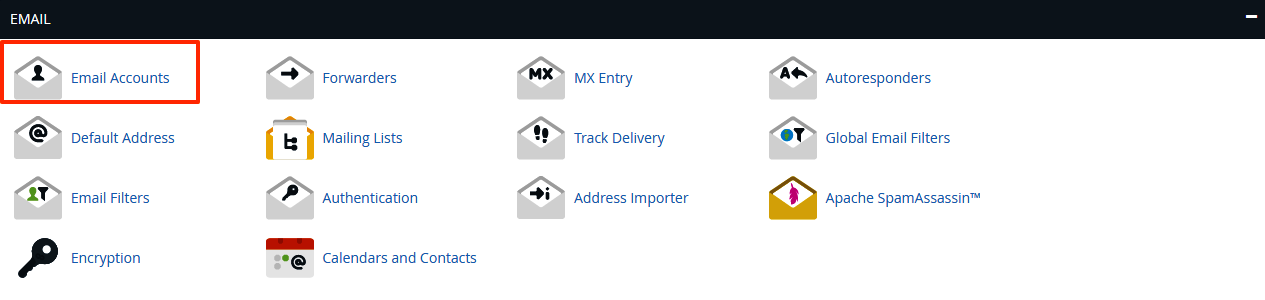
- Click Email Accounts under the E-mail tab
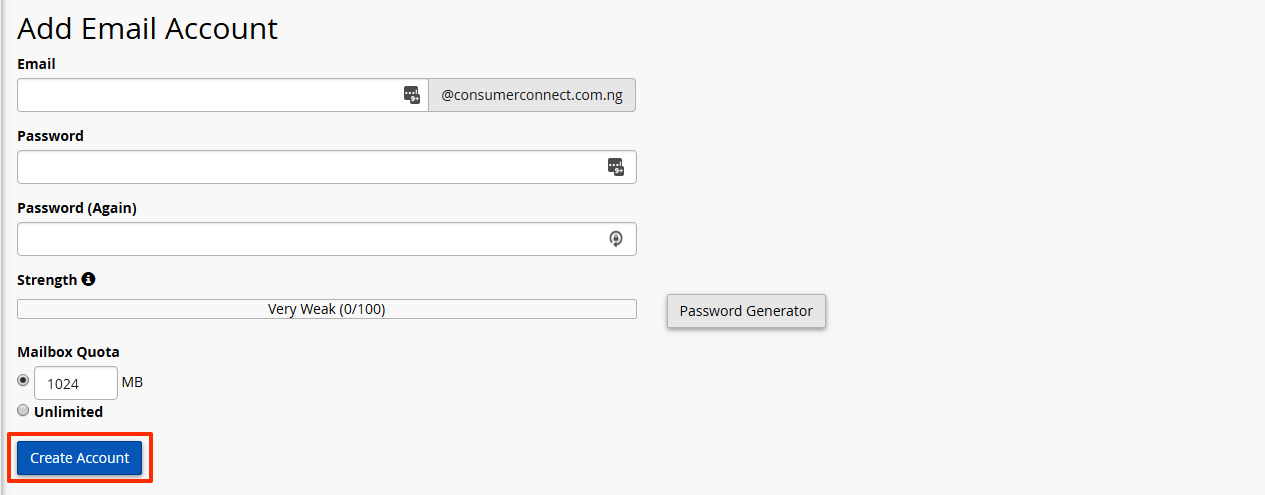
- Fill in th fields as appropriate. The default quota for a mailbox is 250MB. This may be set higher or "unlimited". Leaving it blank indicates no quota alloted.
- Click 'Create Account'
You may follow these steps to access your webmail: Go to http://YOURDOMAIN.COM/webmail...
It is advisable to occasionally change the passwords of your E-mail accounts to maximize your...
All our shared hosting plans allow you to create as many Email accounts as you want. However, you...
When your hosting account is configured, your email configuration information will be included in...
All our shared hosting accounts have a limit of 100 outgoing e-mails per hour. If you want to run...