To cancel your service, follow these steps:
- Log in to your billing account (https://gigalayer.com/billing/clientarea.php)

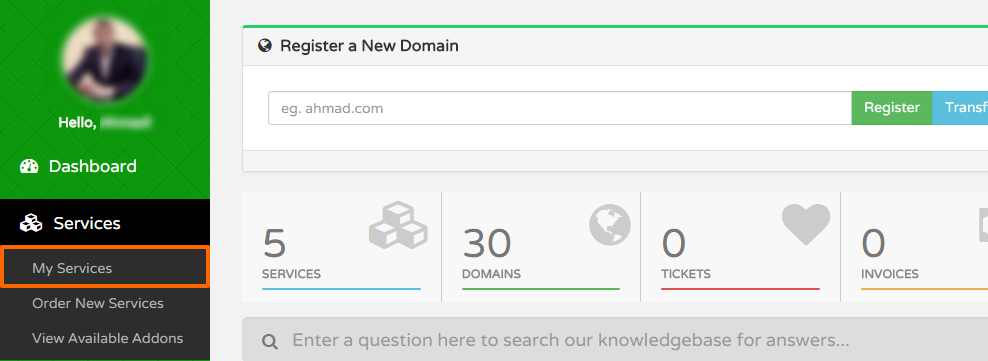
- Go to Services > My Services
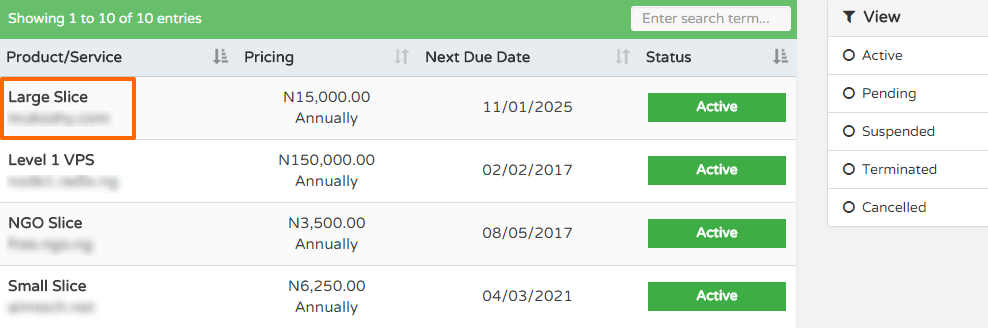
- Click on the product you wish to cancel
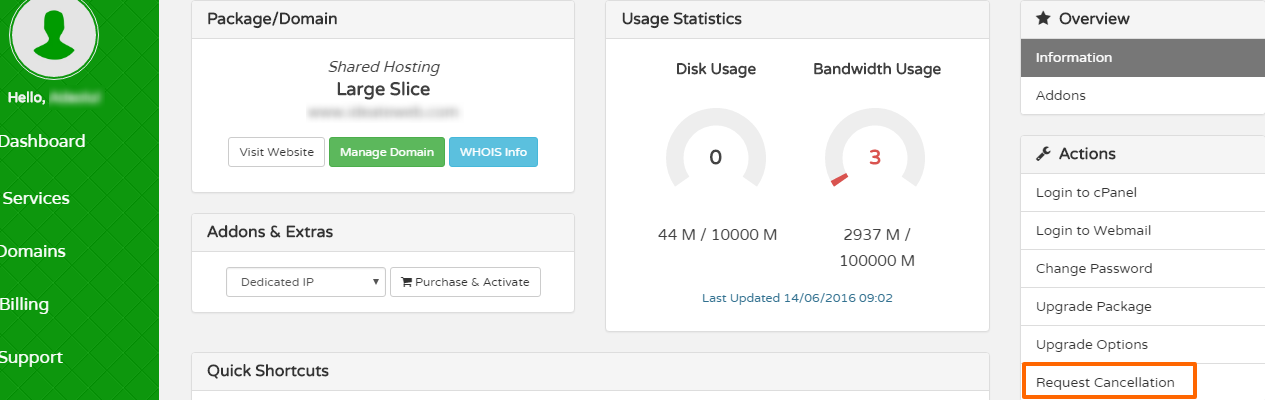
- Click Request Cancellation
- Type in your reason for cancellation and select "Cancellation Type: End of Billing".
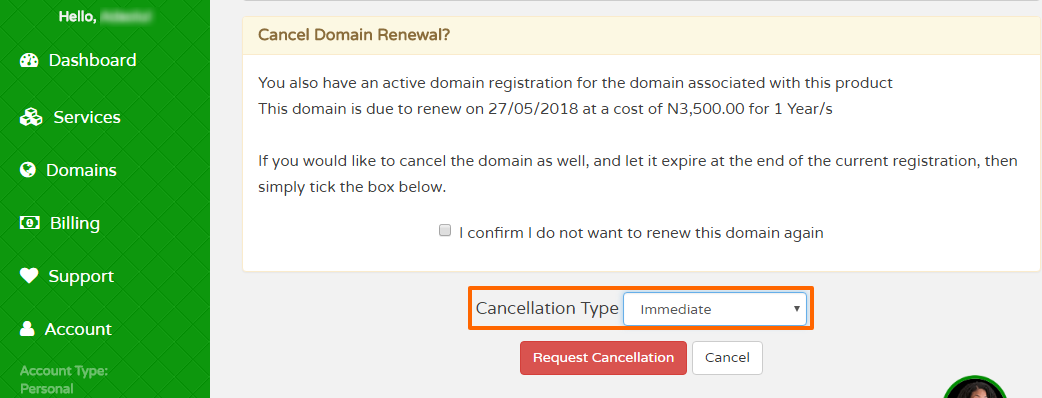
You will no longer be billed for the service again and it will automatically terminate at the end of your billing period. Alternatively you can choose immediate termination if you wish to stop the service instantly before the end of your billing period.
Note: You must not have an active invoice for a service to request for cancellation. You must pay for all outstanding dues to be eligible for immediate cancellation. There will be no refunds for voluntary termination of service.