- Under the category "Databases", click on phpMyAdmin

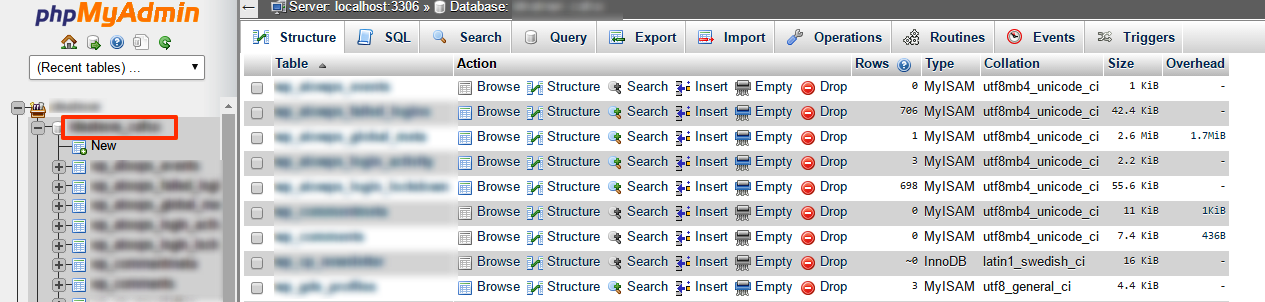
- On the left column, select the database name you wish to import
- Along the top of the screen click the "Import" tab
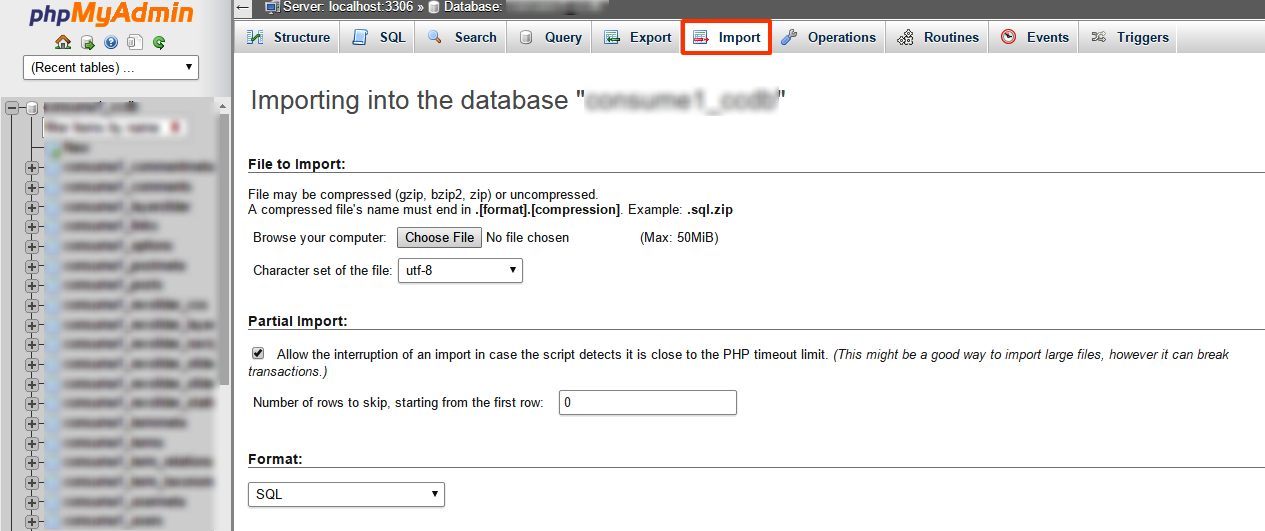
- Click browse under "File to Import" and locate the .sql file on your computer
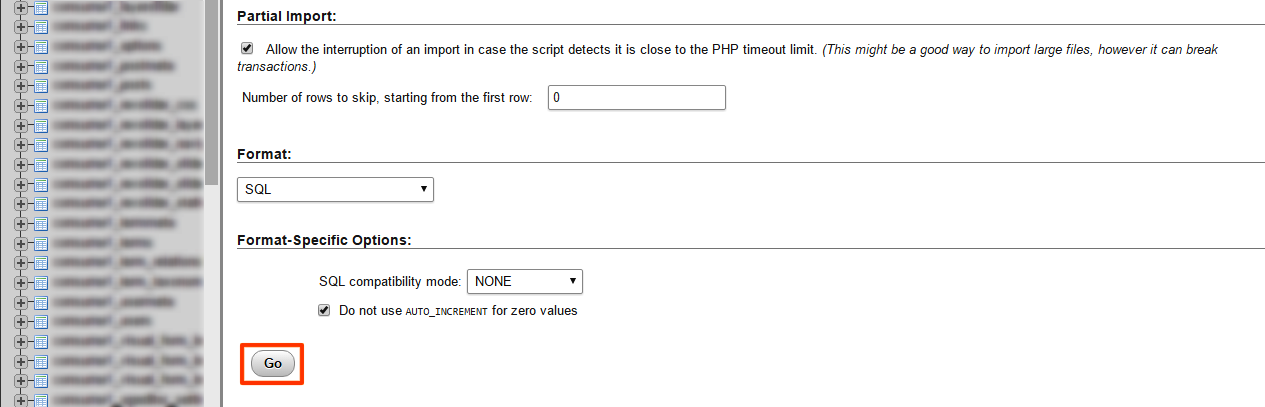
- After you have selected the file, click GO and it will import your database
If you wish to export a database: https://gigalayer.com/billing/knowledgebase.php?action=displayarticle&id=82
Note: PhpMyAdmin can only import and export databases up to 50 MB in size